Why “pattern prediction” explains most LLM behavior
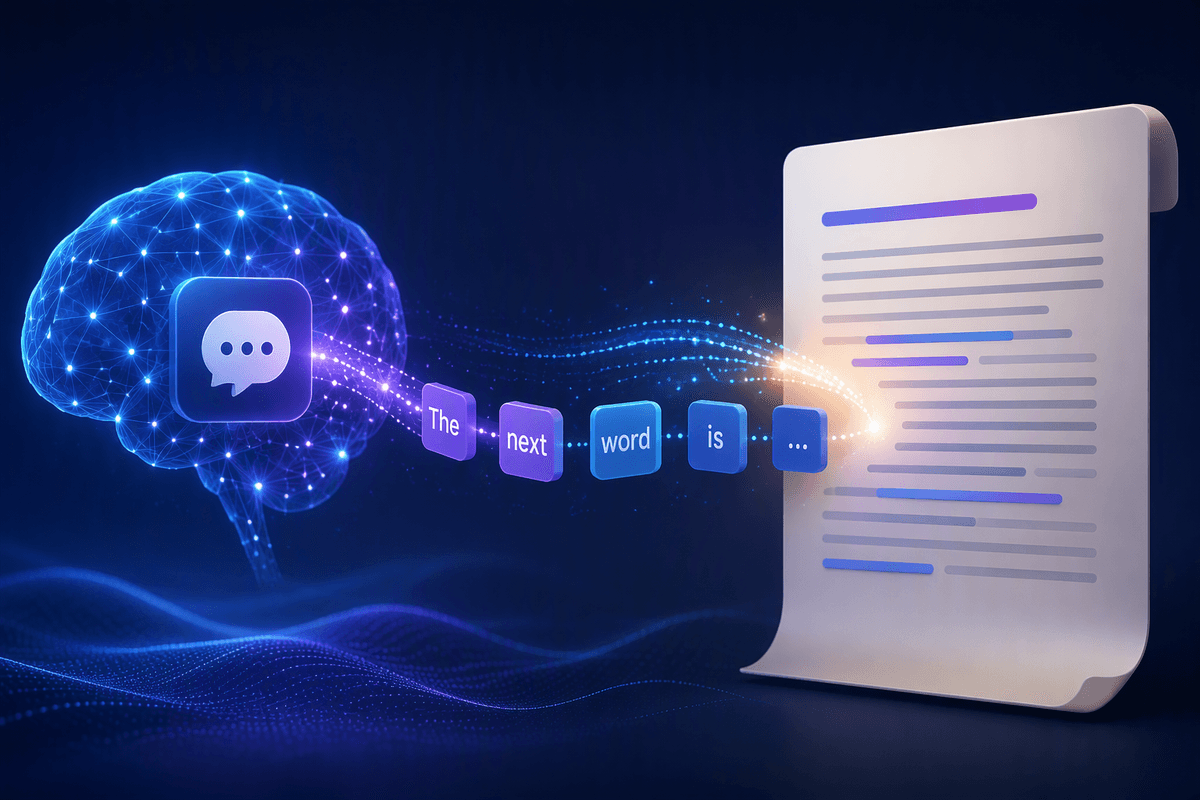
You’ve probably seen an LLM produce a confident answer, a polished email, or a plausible explanation in seconds. The simplest way to understand why it can do that is “pattern prediction”: given the text so far, it predicts what text is most likely to come next. That sounds small, but scaled up it becomes powerful—because a lot of human writing follows repeatable patterns (definitions, apologies, plans, arguments, jokes). The catch is that predicting a likely continuation is not the same as checking what’s true. So the model can sound right while being wrong, especially on niche facts or ambiguous questions.
From next-word guesses to coherent paragraphs

Think about typing a sentence and watching your phone suggest the next word. An LLM does something similar, except its “autocomplete” has been trained on an enormous range of writing styles and topics. It looks at the text so far, estimates the odds of many possible next tokens (small chunks of text), picks one, then repeats. One choice doesn’t create meaning on its own, but thousands of small choices can add up to a paragraph that reads as if someone planned it.
Coherence comes from learned patterns that span longer stretches: how introductions set expectations, how explanations define terms before using them, how stories keep characters consistent, how arguments use “because” and “therefore.” It’s still locally driven—each step is guided by what seems to fit, not by an internal checklist of facts—so a smooth paragraph can still contain a subtle wrong turn.
What training teaches: statistical patterns, not lived experience
Advertisement
Picture a student who’s read thousands of essays and can imitate the tone, structure, and “moves” of a strong paper—topic sentence, supporting example, neat conclusion—without having done the lab or visited the place being described. Training teaches an LLM in a similar way. It absorbs huge amounts of text and learns which token sequences tend to follow which others: how recipes are written, how contracts define terms, how medical articles hedge, how customer support apologizes.
What it doesn’t get is lived experience or a built-in sense of “this happened” versus “this is a common way people talk about it.” It can describe the feel of holding ice because that description appears in many sources, not because it has sensations. The constraint is that training is expensive and indirect: it can pick up biases, outdated framing, or copied errors, and it can’t automatically verify claims against the real world while it writes.
Tokens and probabilities: why prompts change everything

You can feel this most when you tweak a prompt and the whole answer changes. That’s because the model isn’t choosing from a short list of “ideas.” At each step it assigns probabilities to many possible next tokens, and your prompt is the main thing shaping those odds. Ask “Explain like I’m new to this,” and tokens that signal simpler wording rise. Add “in three bullet points,” and tokens that start lists become more likely. Name an audience (“a CFO,” “a middle-schooler”) and it shifts tone, jargon, and what details get emphasized.
Advertisement
Small wording differences matter because they change the context the model is completing. The practical cost is that prompts can also steer it toward confident-sounding nonsense: if you imply a fact is true (“Why did Company X acquire Y in 2022?”), the model may “fill in” a plausible story instead of pushing back.
Context windows: the limits of what’s in memory
A long report or chat thread can expose a basic limitation of AI: details mentioned earlier may disappear from consideration as the conversation grows. The context window sets the amount of text the model can process at a given time, and its response is shaped by the information available within that active window. Unlike human memory, the context does not expand indefinitely as a conversation continues. A better comparison is a moving frame: information remains in view only while it falls within the frame.
Once that frame becomes crowded, earlier details may fall out of context. The result could be a contradiction of an earlier constraint, an incorrect name, or an answer that addresses the latest question while losing sight of the original goal. Larger context windows provide more room, but they also require more compute and may introduce additional noise. For longer tasks, a concise summary of the key requirements, important facts, and a short “ground truth” block can keep the most important information visible throughout the work.
Sampling choices: controlling creativity, precision, and repetition
Advertisement
You’ve probably noticed the same prompt can yield slightly different answers across runs. That’s sampling: after the model assigns probabilities to many possible next tokens, the system chooses how “risky” to be when picking among them. A low-temperature, top-choice-heavy setting tends to produce safer, more literal phrasing and fewer surprises—useful for summaries, instructions, or code-like formatting. Higher sampling allows less likely tokens, which can add variety, better brainstorming, and more natural voice, but it also increases the chance of drifting into plausible-sounding mistakes.
Repetition is part of this trade-off. If the system leans too hard on the most likely tokens, it can get stuck in loops (“In conclusion…” twice, repeated points, recycled adjectives). Adding penalties or constraints can reduce that, but they can also make the writing feel choppy or force odd word choices. The practical cost is that dialing these controls takes iteration, and the “best” setting depends on your task.
Hallucinations: when pattern completion beats truth checking
A model may produce a study that sounds credible but does not exist, describe a product feature that was never released, or give a precise number without any supporting evidence. That is a hallucination: the model is generating a plausible continuation based on patterns in its training rather than checking whether the claim is true. Prompts that appear to call for citations, dates, or named policies can make the problem more pronounced. The model may fill in the expected structure even when the underlying information is missing from the available context or was never reliably learned.
Narrow questions are particularly prone to this problem, especially when they refer to a specific document such as “the 2021 policy memo on X.” The risk also rises when the requested format encourages an authoritative tone, whether through footnotes, legal language, or detailed tables. A correct response may simply be “I don’t know,” yet a model is generally better at producing a fluent answer than establishing that no reliable answer is available. Sources supplied in the prompt or tools connected to authoritative information can reduce that gap. Without them, specific claims should be treated as leads for verification rather than established facts.
Using the mental model to get better results
You can use this mental model like a checklist while you prompt. If the model predicts continuations, then you should supply the “track” you want it to stay on: state the goal, audience, format, and any non-negotiable constraints up front, and paste a short block of facts it must treat as ground truth. When you need accuracy, ask it to separate “what I know from the provided context” from “what I’m inferring,” and to flag uncertainties instead of filling gaps.
When a response matters, treat the first draft as a draft. Ask for sources you can verify, request a second pass that critiques the first, and test with small adversarial questions (“What would make this wrong?”). The practical cost is time: better prompting usually means a couple of iterations, plus real-world checking for names, dates, and numbers.