Automation that sticks starts with the job-to-be-done
You can feel the pull to “automate something” when you’re busy, but automation only lasts when it’s tied to a job people actually need done. Think of the job as the outcome you’re responsible for—like “get invoices approved within two days” or “publish a weekly sales report that leadership trusts”—not the tool you plan to use. When you define the job, you also surface the boundaries: who needs the result, what “done” looks like, and what can’t break. Skip this, and you’ll buy software that looks impressive but still leaves the real bottleneck untouched.
A useful job-to-be-done statement includes a trigger, an output, and a quality bar. “When a customer requests a refund, produce a complete case record, notify accounting, and respond within one business day” is specific enough to improve. It also reveals practical constraints: you may need access to finance systems, clean customer identifiers, and an audit trail for compliance. Those constraints aren’t reasons to avoid automation; they’re the reasons to design it realistically. If you can’t clearly say what success is, you won’t know whether automation helped or just moved the work around.
Find one task that’s repetitive, slow, or error-prone
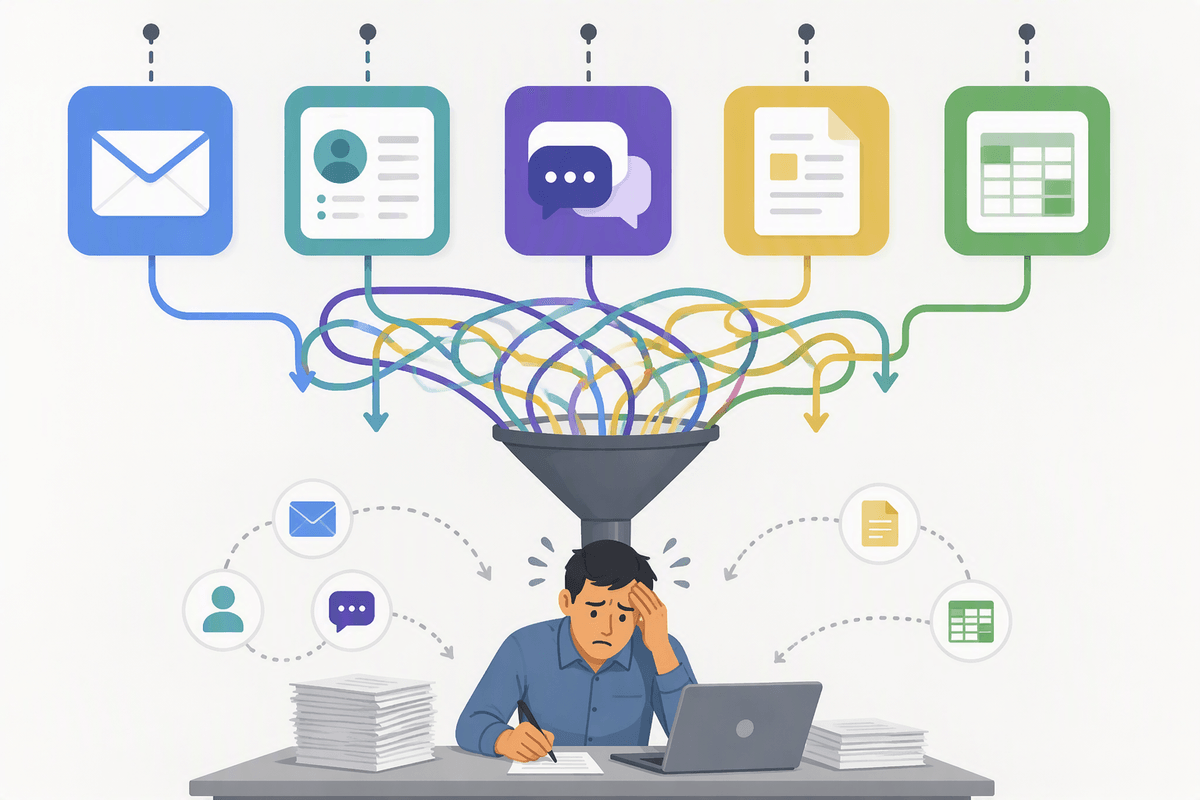
Look for work that shows up the same way over and over, especially where people complain “this should be quick” but it never is. Good candidates often live in the gaps between systems: copying customer details from emails into a CRM, chasing approvals in Slack, renaming and filing documents, reconciling two spreadsheets, or reformatting a weekly report before it’s “presentable.” If the task happens at least weekly, takes more than a few minutes each time, or requires careful attention to avoid mistakes, it’s worth examining.
A simple test is to ask, “If the person who usually does this is out for a week, what breaks?” Tasks that depend on one person’s memory, a set of unwritten rules, or manual checks are both high-cost and high-risk. Start with one narrow task, not a whole process. Automation projects fail most often when the “task” is actually five different edge cases hiding under one name.
Write the task down like a recipe, not a wish
Advertisement
You’ll be tempted to describe the task as a goal—“auto-process refunds” or “make onboarding seamless.” Don’t. Write it like a recipe someone else could follow on a tired Tuesday: what triggers it, where the input arrives, how you decide what to do, and what “finished” produces. “When a refund email arrives, create a case in the helpdesk, verify the order number in Shopify, check for prior refunds in the last 60 days, tag the reason code, then draft a response using template B unless the customer is VIP.” That level of detail is what automation needs, whether it’s a rule, a script, or an AI prompt.
Include the messy parts on purpose: exceptions, required approvals, and where you look things up. Note the exact fields you use (customer ID vs. email), the systems touched, and the handoff point if something doesn’t match. This can feel slow, and it often exposes that the real constraint isn’t technology—it’s missing data, unclear ownership, or a policy nobody wrote down. That’s still progress, because you’ve turned “we should automate” into something you can test.
Decide the simplest improvement: eliminate, standardize, then automate
You’ll often find that the fastest “automation win” is not automation at all. Before you build anything, ask whether the task should exist. If you’re reformatting the same report for three people, eliminate the variation by agreeing on one format. If you’re copying data between systems because two fields don’t match, fix the naming or add one required identifier at the source. Cutting a step removes ongoing maintenance cost and reduces the number of failure points.
When the task truly needs to stay, standardize it before you automate it. Choose one intake channel, one template, one set of reason codes, one definition of “complete,” and one owner for edge cases. This is where teams push back because standardization can feel like extra rules, and it may require retraining or changing a customer-facing form. It’s still cheaper than automating three different versions of the same work and then debugging them forever.
Reality checks: permissions, data quality, compliance, and ownership
Advertisement
A polished automation recipe still runs into basic constraints. Permissions are usually the first one to check: does the person building the workflow actually have access to the inbox, shared drive, CRM fields, bank feed, or HR system it needs? Where access depends on an IT or vendor request, allow time for approval and determine whether the workflow needs read-only access, write access, or actions that require human approval. Many automations work perfectly in a test account but fail under a real service user because the setup conflicts with segregation-of-duties requirements.
Data quality creates a similar problem. Inconsistent customer names, missing order numbers, or a “status” field with five different meanings give automation unreliable inputs to process at scale. The system will reproduce those inconsistencies just as efficiently as everything else. Cleaning old records, adding required fields, and retraining staff takes effort upfront, but that cost is usually lower than tracking down errors after they spread through downstream systems.
Compliance and ownership determine what happens when the workflow reaches an exception. Establish which actions need to be logged, retained, or approved, and assign a clear owner for failures and changes. Someone also needs to know who receives the alert when an automation stops working. Without that responsibility, even a well-built workflow can become an unattended process that quietly fails.
Pick technology last: rules-based tools, scripts, or vendors
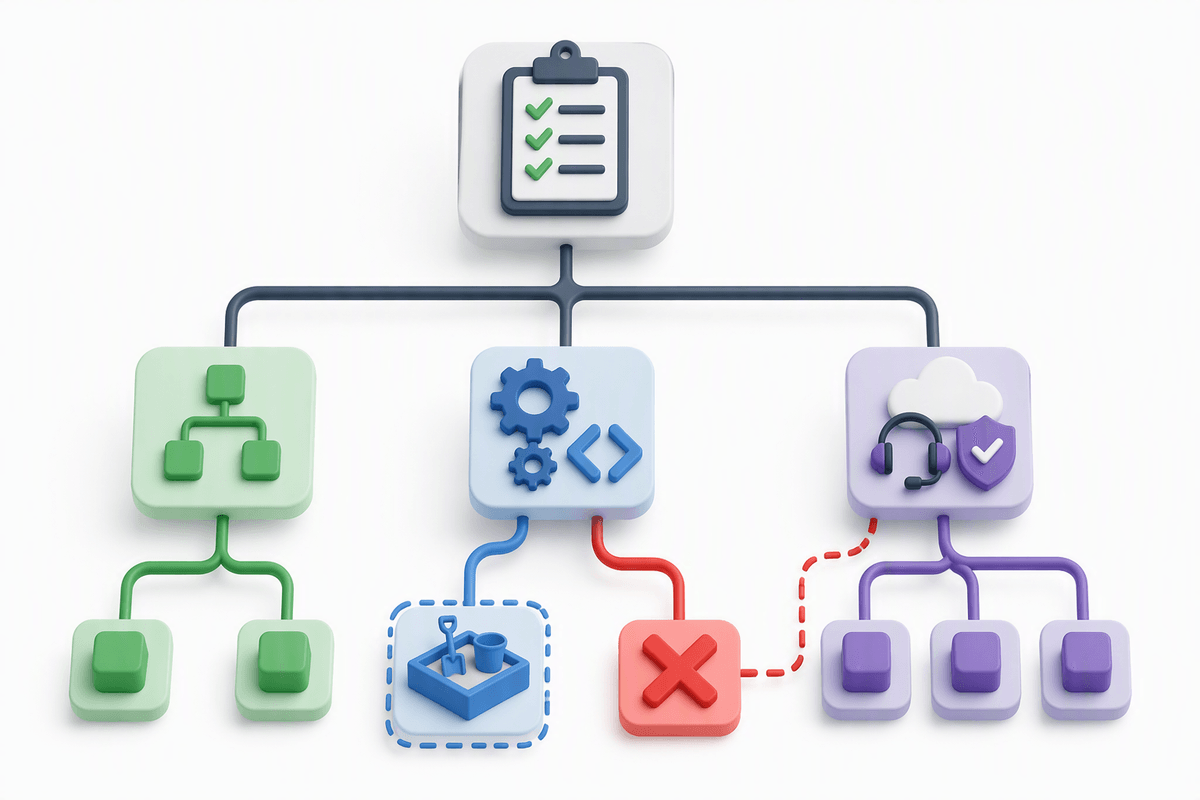
You’ll feel pressure to pick a tool early, but you get better outcomes when the task definition drives the technology choice. If the steps are stable and based on clear conditions (“if the invoice is under $5,000 and the vendor is approved, route to Finance”), a rules-based tool or a no-code workflow builder is usually enough. If the task needs custom logic, touches an awkward legacy system, or must run on a schedule with reliable error handling, a small script can be simpler and cheaper than wiring together five integrations.
Advertisement
Vendors make sense when the workflow is common, the data connections are standard, and you want support, security controls, and audit logs without building them yourself. The trade-off is ongoing cost and less flexibility: pricing often scales with volume or seats, and you’re constrained by whatever the product team prioritizes. Whichever route you choose, require a clear failure path (what happens when data is missing) and a way to test changes without breaking production.
Where AI fits—and where it creates new uncertainty
You’ve probably seen AI work best where the “input” is messy language and the “output” is a draft: summarizing long email threads, turning call notes into a CRM update, classifying requests into reason codes, or proposing a first-pass reply. In those spots, AI can remove the blank-page time and reduce context switching, especially when the task already has a template, tone guidelines, and a clear checklist for what must be included.
The uncertainty shows up when you need the same answer every time. AI can misread a policy edge case, invent details that sound plausible, or change its output based on tiny wording differences. That creates a new kind of work: reviewing, logging what it did, and deciding who is accountable when it’s wrong. Treat AI like an assistant that drafts and flags, not one that approves, sends money, or changes records without a deterministic check and a human backstop.
Pilot narrowly, measure results, and scale only what’s stable
Start with a pilot that has clear boundaries: one team, one input channel, and a predictable slice of volume. Run it in parallel at first so you can compare outputs, catch edge cases, and avoid a silent failure that piles up work. Measure what matters to the job-to-be-done—cycle time, rework rate, error count, and how often a human had to step in—not vanity metrics like “tasks automated.” Expect some upfront drag: people need training, exceptions need naming, and someone has to own fixes.
Scale only after the steps and data stay consistent for a few weeks. If you’re still changing rules weekly, you’re not scaling automation—you’re scaling churn. Lock the standard, document the handoffs, and make one person responsible for monitoring and updates before you expand to new teams or higher-risk actions.